
Cut Planner · Windows · Android
How many pieces can you cut from one sheet?
Free calculation
For repeated rectangular parts, enter one sheet size and one part size in the free single-part mode. Cut Planner accounts for your kerf and edge margins, tries allowed orientations and shows the count and layout. A simple area division misses the spaces lost to cutting and the way parts fit along the edges.
Worked examples
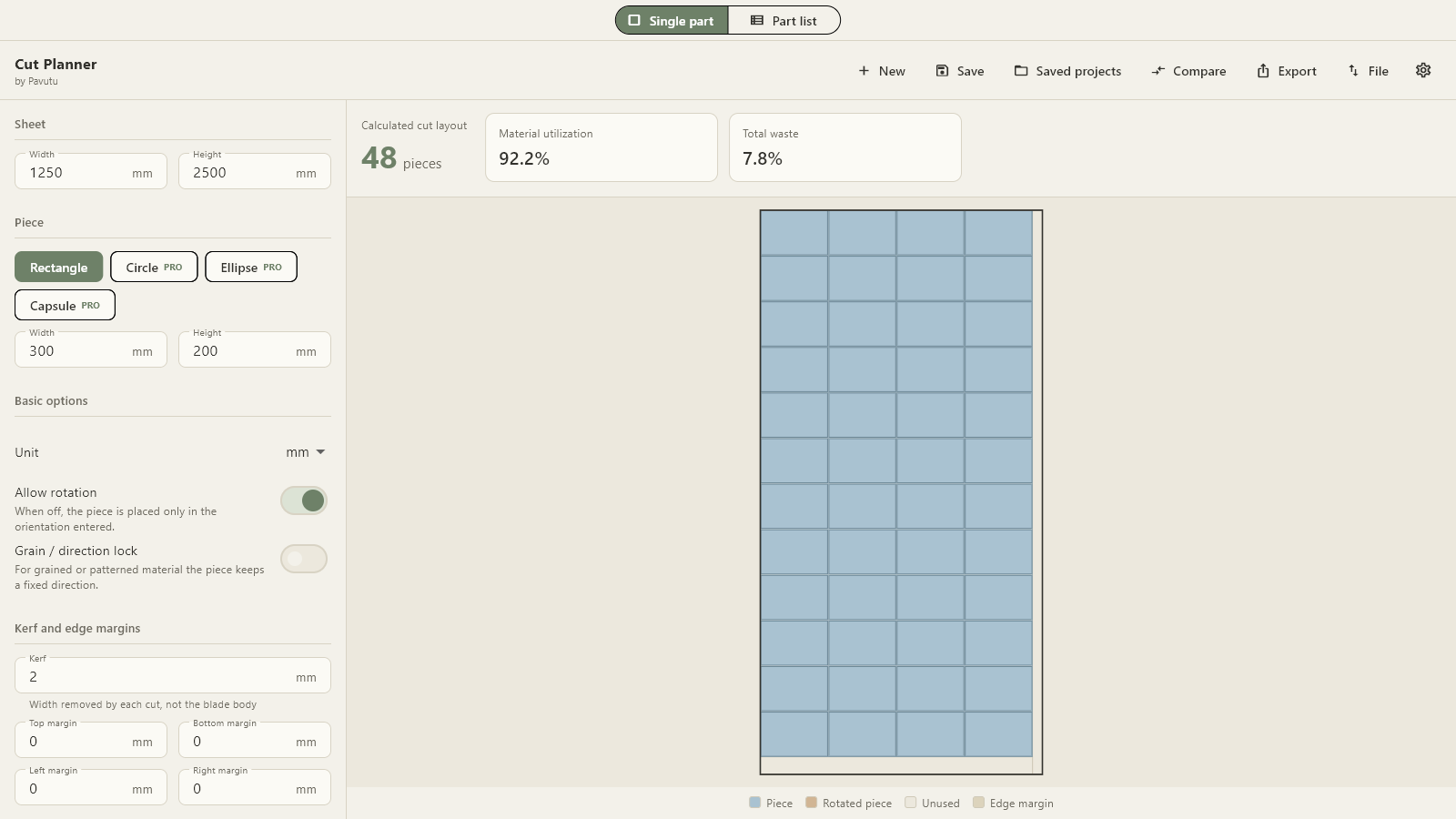 (opens the larger image)
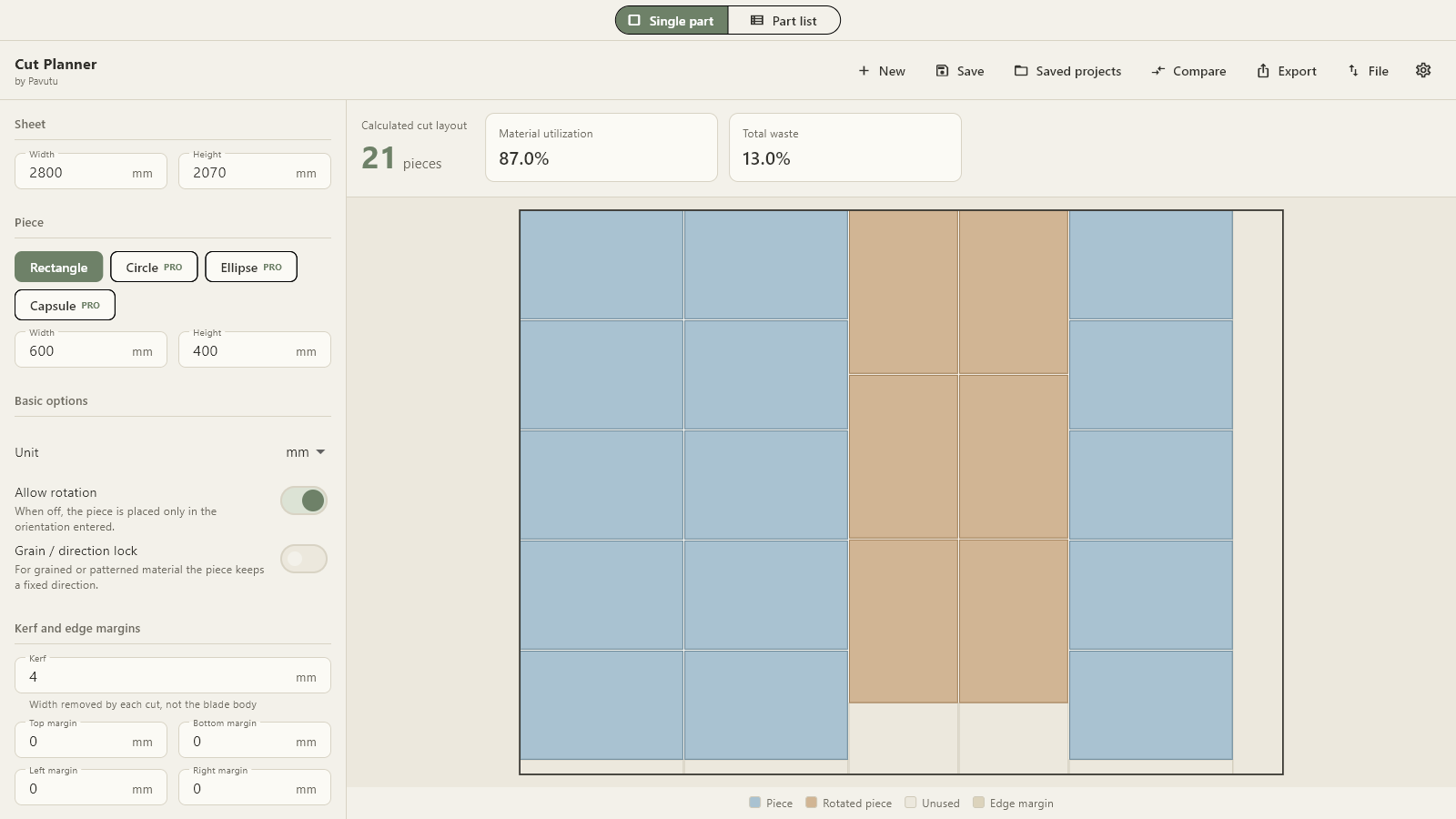 (opens the larger image)
Both examples use zero edge margins, allow 90° turning and have grain lock off. The first is a repeated metal blank; the second is a repeated MDF panel. If the usable sheet is smaller, enter its measured size or the necessary edge margins rather than copying these settings.
Set up the calculation
- Choose Single part and Rectangle, then enter the sheet and part dimensions in the same unit.
- Set the kerf to your cutting process, enter edge margins and decide whether the part may rotate.
- Read the count and layout. Compare other sheet sizes if needed, then save the PDF or image.
Scope and limits
This calculation uses one rectangular part size at a time. Use the part list for mixed sizes. It provides a layout and numbered cutting steps, without laser/plasma G-code or ready-to-run machine toolpaths. A better arrangement may exist.
Questions about this job
Why not divide the sheet area by the part area?
Area alone does not show whether the rectangles fit across the sheet, and it ignores kerf and edge margins. Use the resulting layout to inspect the count.
Is the PDF free?
Yes. Rectangle counts, sheet comparison, PDF/image output and part-list CSV export are free. The free PDF/image includes a small Cut Planner line.
What if I need round blanks?
Circle, ellipse and capsule calculations require PRO. Each calculation uses one shape and one set of dimensions.