
by Pavutu · Windows · Türkiye
Prepare your quotes, receipts and shipping documents
Prepare quotes, proforma invoices, receipts, packing lists and shipping instructions in one app, and save them as PDF.
Get the app

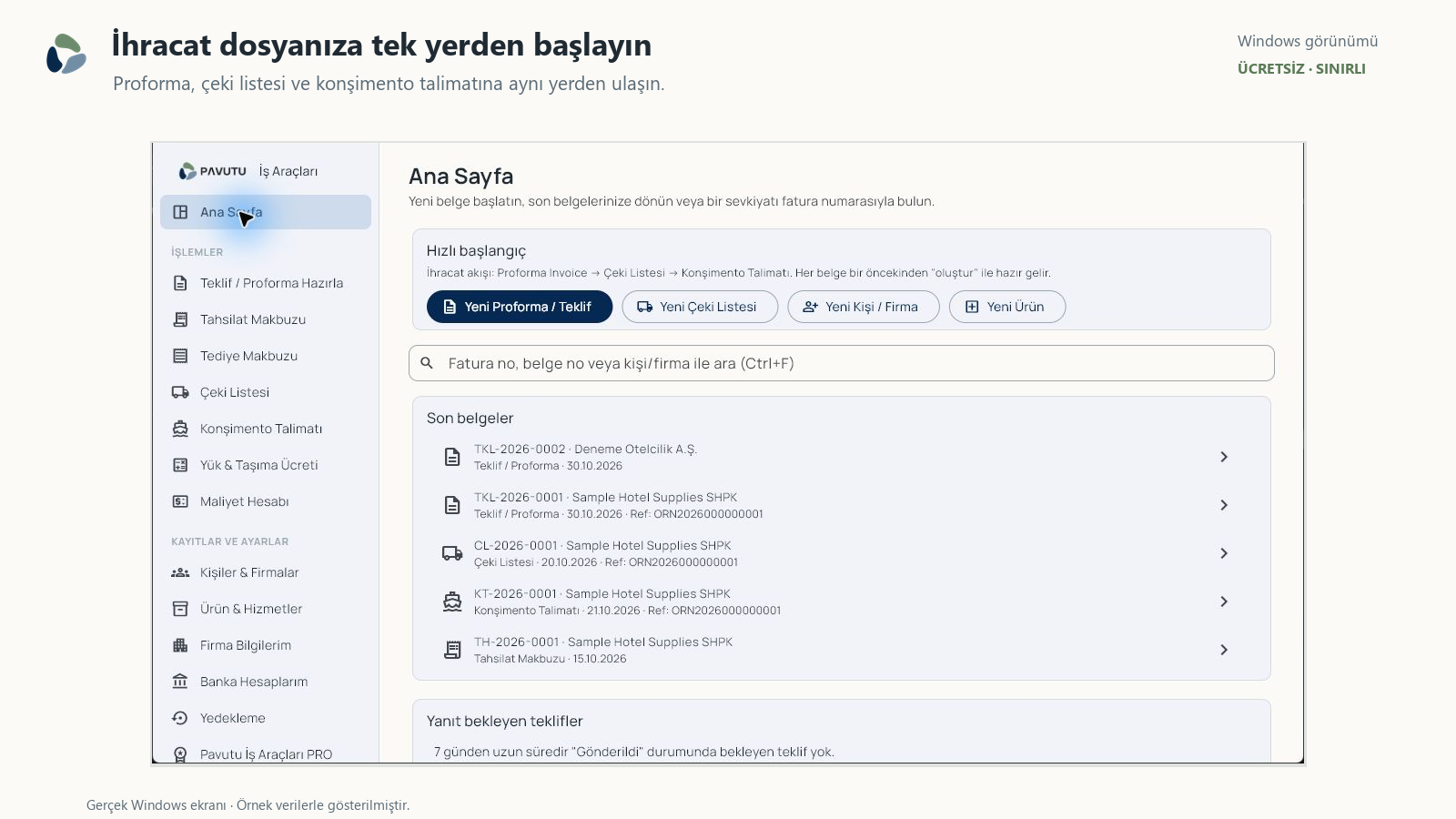 (opens the larger image)
Prepare your quotes and proforma invoices
Enter the lines in a table, choose the document language and save it as PDF.
-
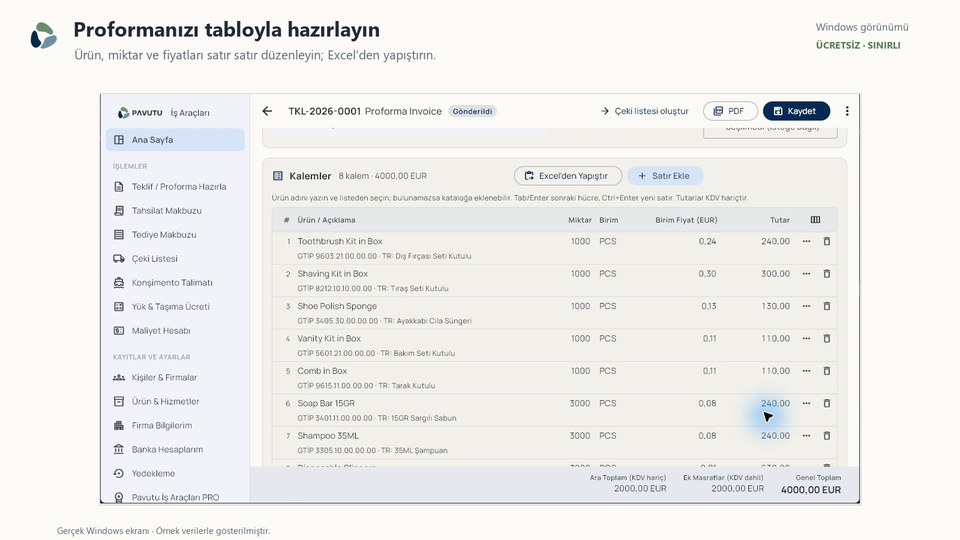
Edit the lines in a table
Enter product, quantity and price line by line, or copy your table from Excel and paste it in. You can search your saved products right in the line; the subtotal, extra charges and grand total appear below.
 (opens the larger image)
Proforma Invoice line table · Turkish interface -
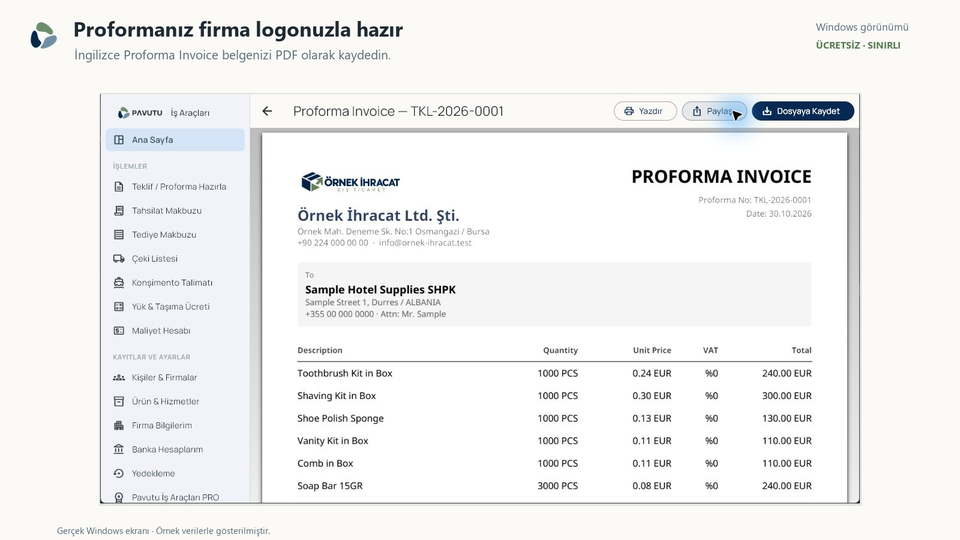
A Turkish quote or an English proforma
Choose the language as you prepare it: a Turkish quote (Teklif) or an English Proforma Invoice. Your company logo appears on it; save the PDF, print it or share it.
 (opens the larger image)
English document, Turkish interface · sample company
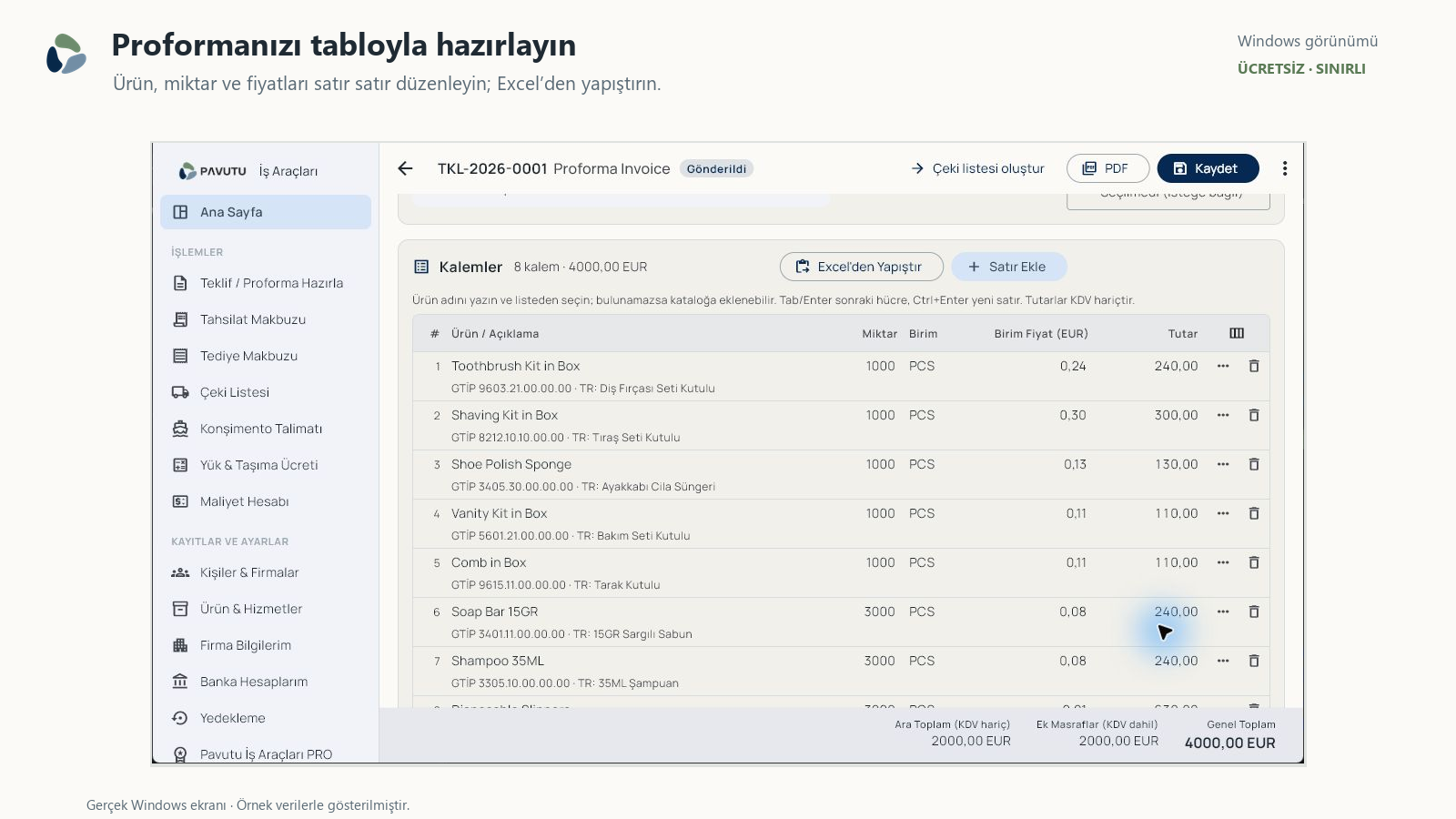
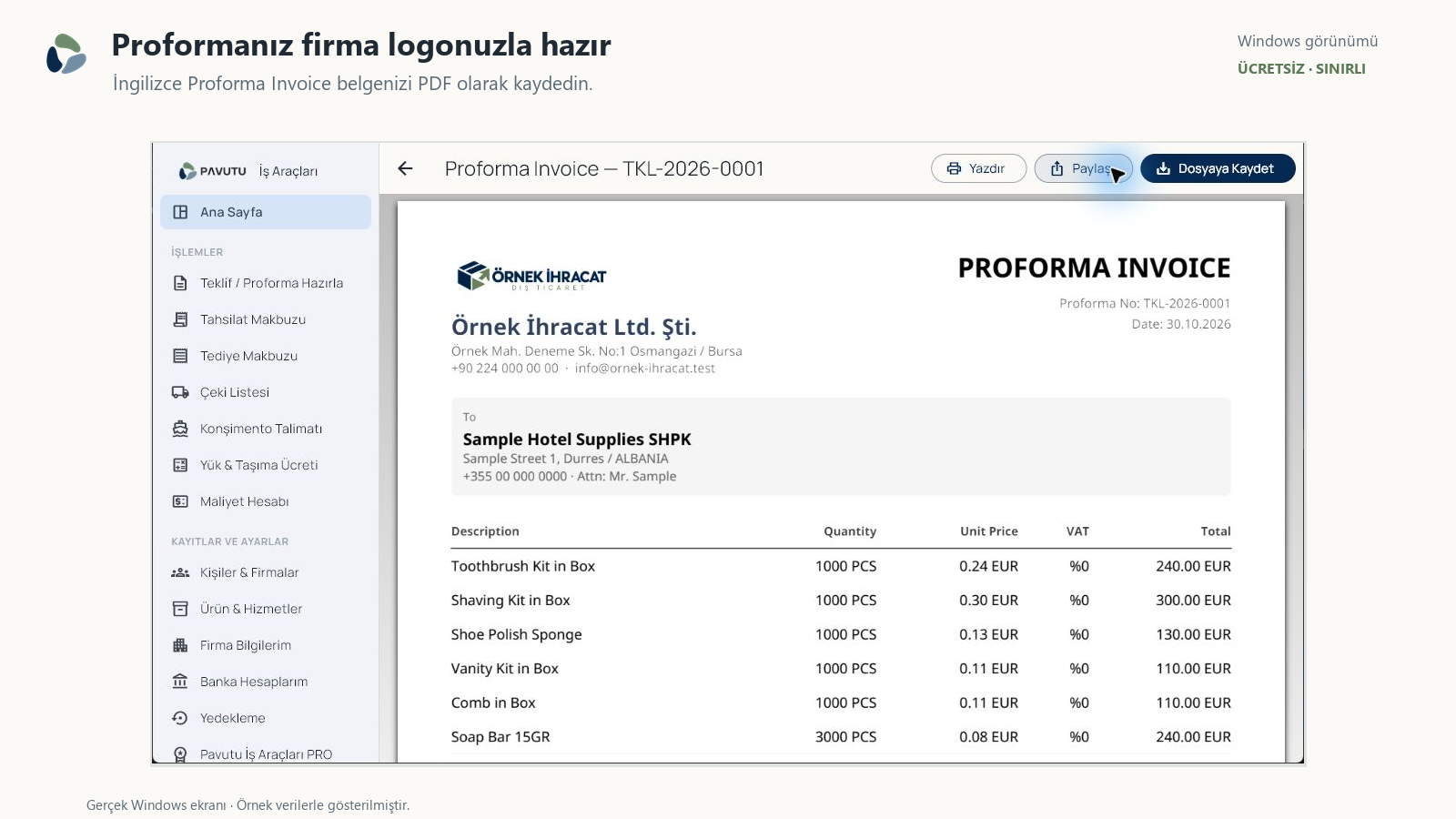
Screens are from the Windows app with sample data; the app's interface is in Turkish. The document language changes only the document's headings and labels: text you type is not translated, and you add your products' English names to the product records yourself. Click or tap an image to read the details.
Record payments, prepare shipments
From receipts to packing lists and shipping instructions, your documents stay in one place.
-
Receipts and payment vouchers
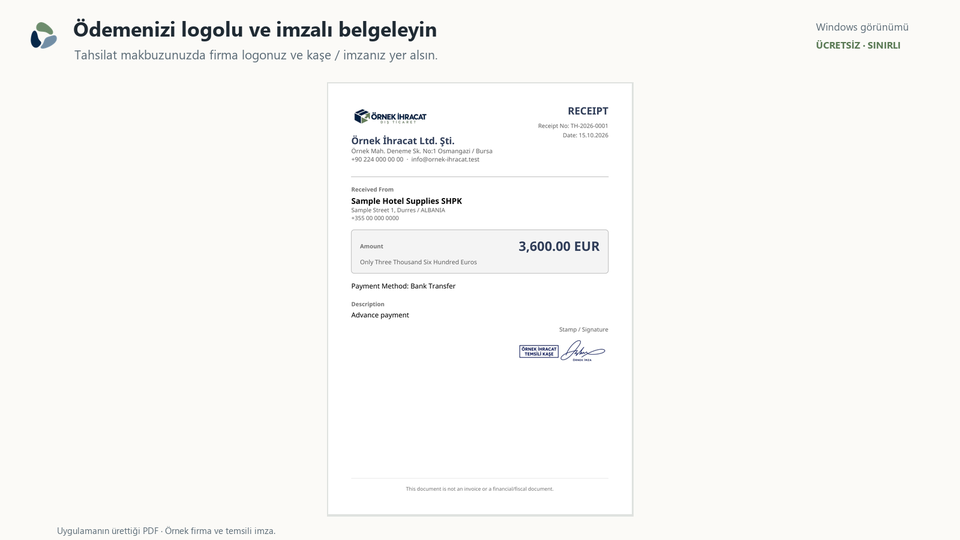
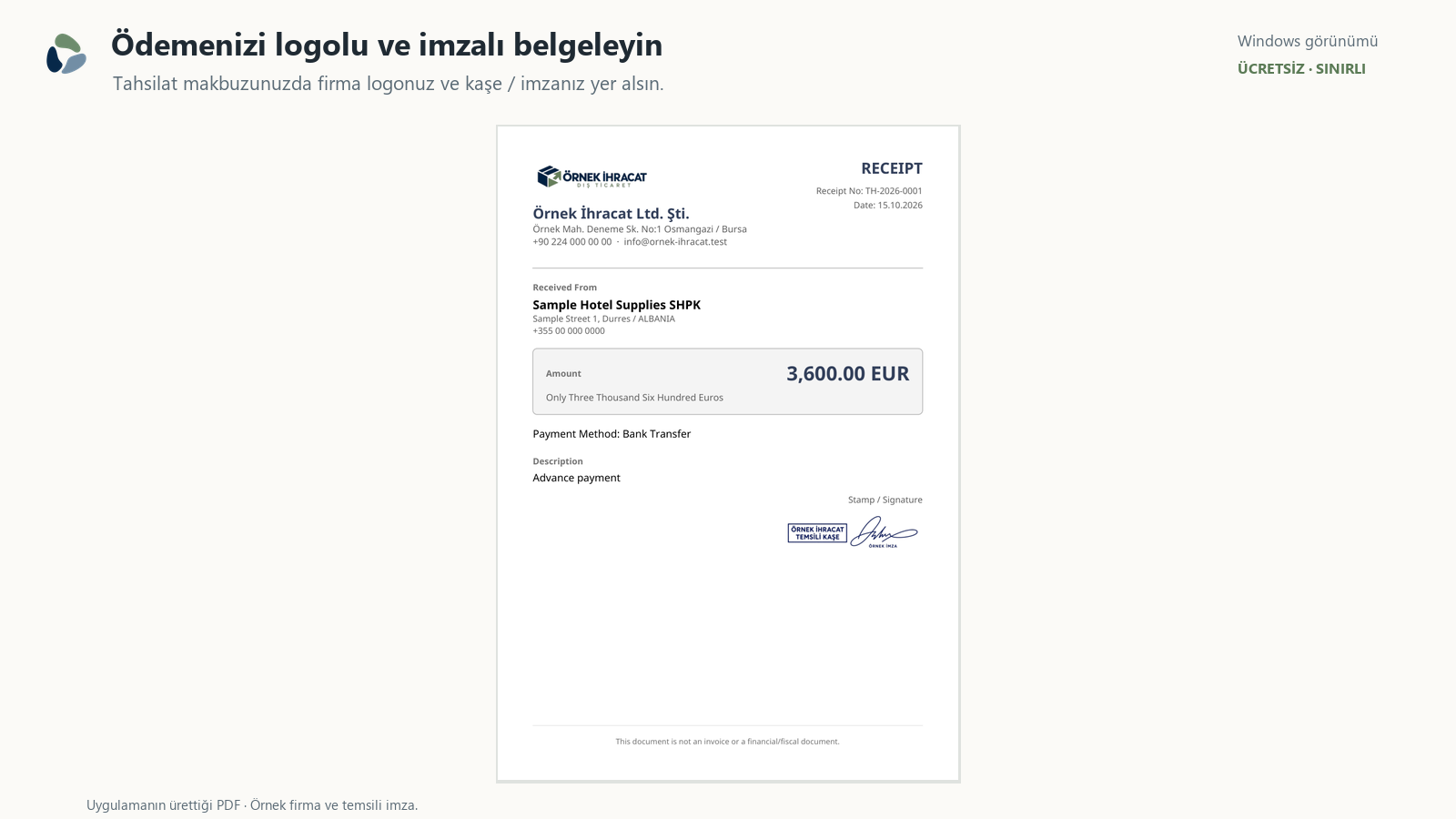
Record a payment you received (tahsilat) or made (tediye), with the amount in words and the payment method. Your company logo and stamp / signature image appear on the receipt.
 (opens the larger image)
PDF made by the app · sample signature -
Packing list
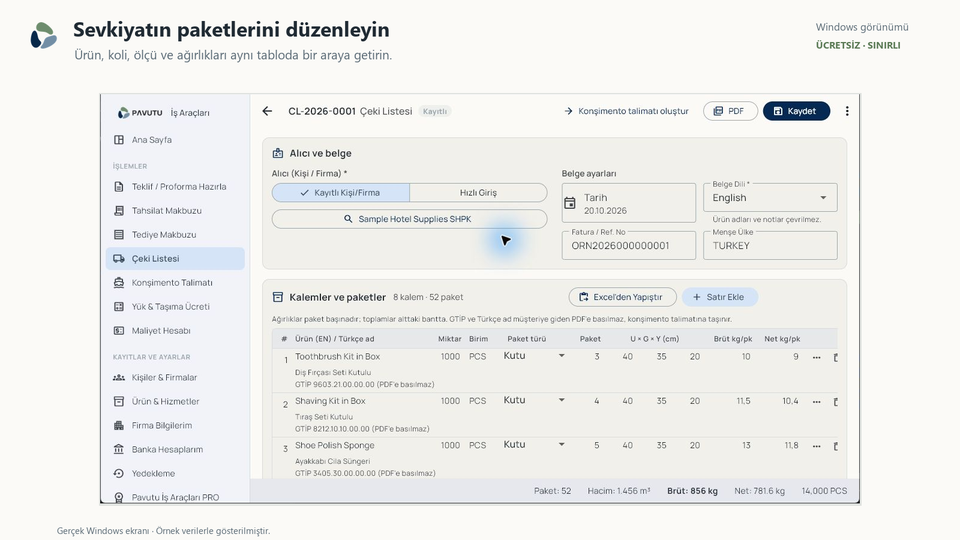
Create a packing list from your proforma and enter the package type and count, dimensions, and gross and net weights line by line. Totals for packages, volume and weight are calculated below.
 (opens the larger image)
English document, Turkish interface -
Shipping instructions
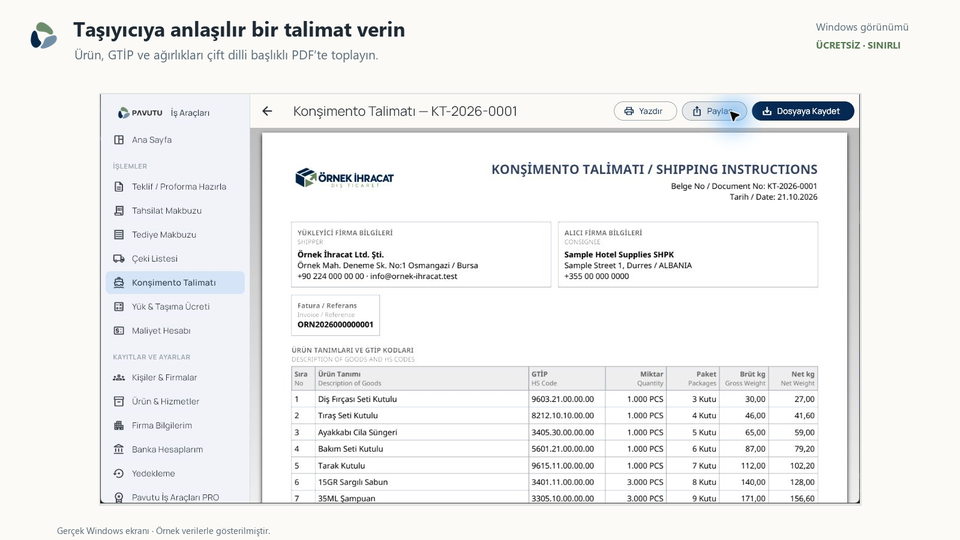
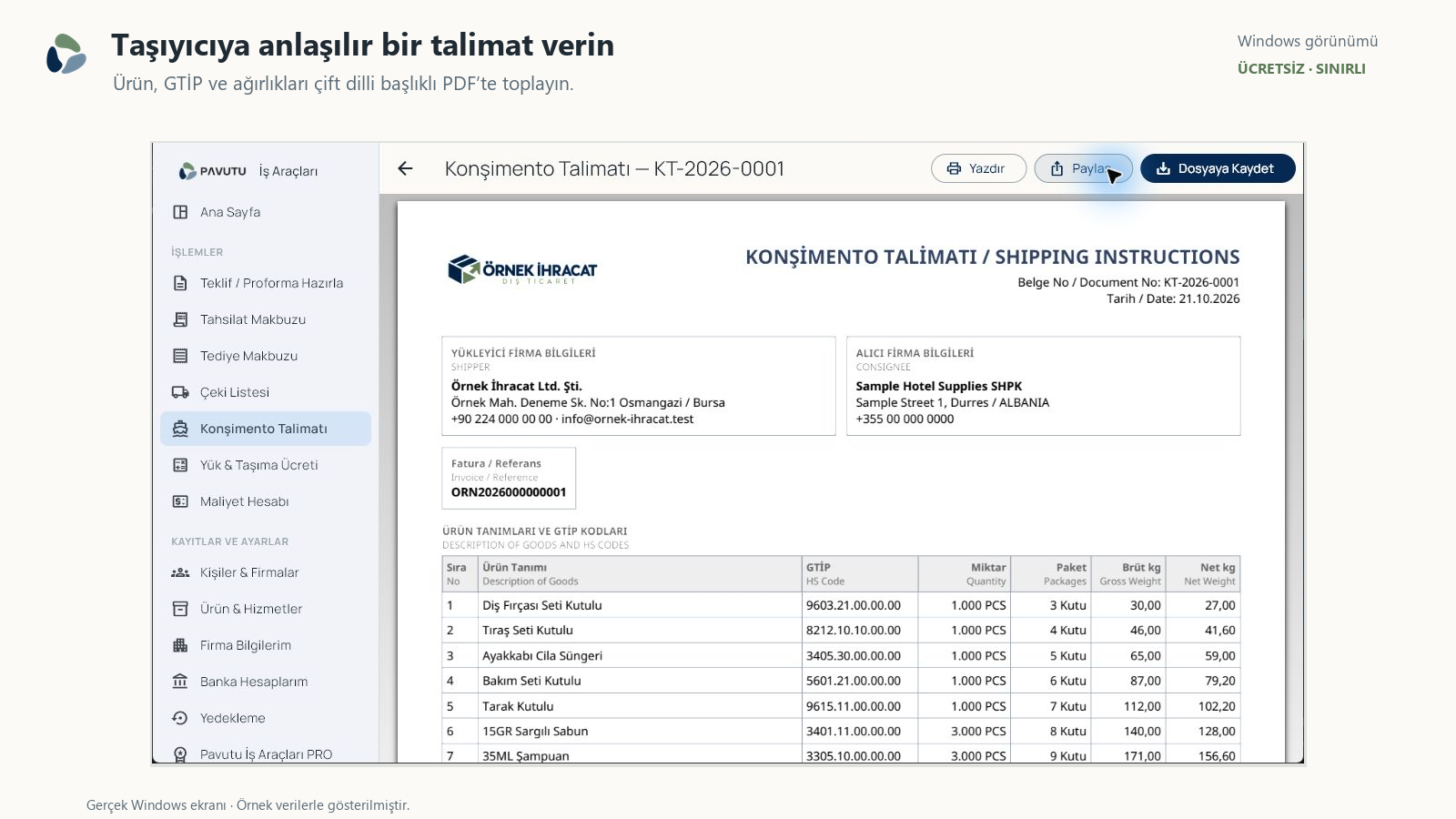
Prepare the instructions you give the carrier from your packing list: shipper, consignee, goods, HS codes, packages and weights, in a PDF with Turkish / English headings. The carrier issues the bill of lading; this document does not replace it.
 (opens the larger image)
PDF preview · bilingual headings

On an English packing list PDF, each product's Turkish name is printed under its English name. When you create one document from another, the source document stays as it is, and you can edit every field in the new one.
Work out your costs and your load
Before you quote, see your unit cost and the volume and weight of your shipment.
-
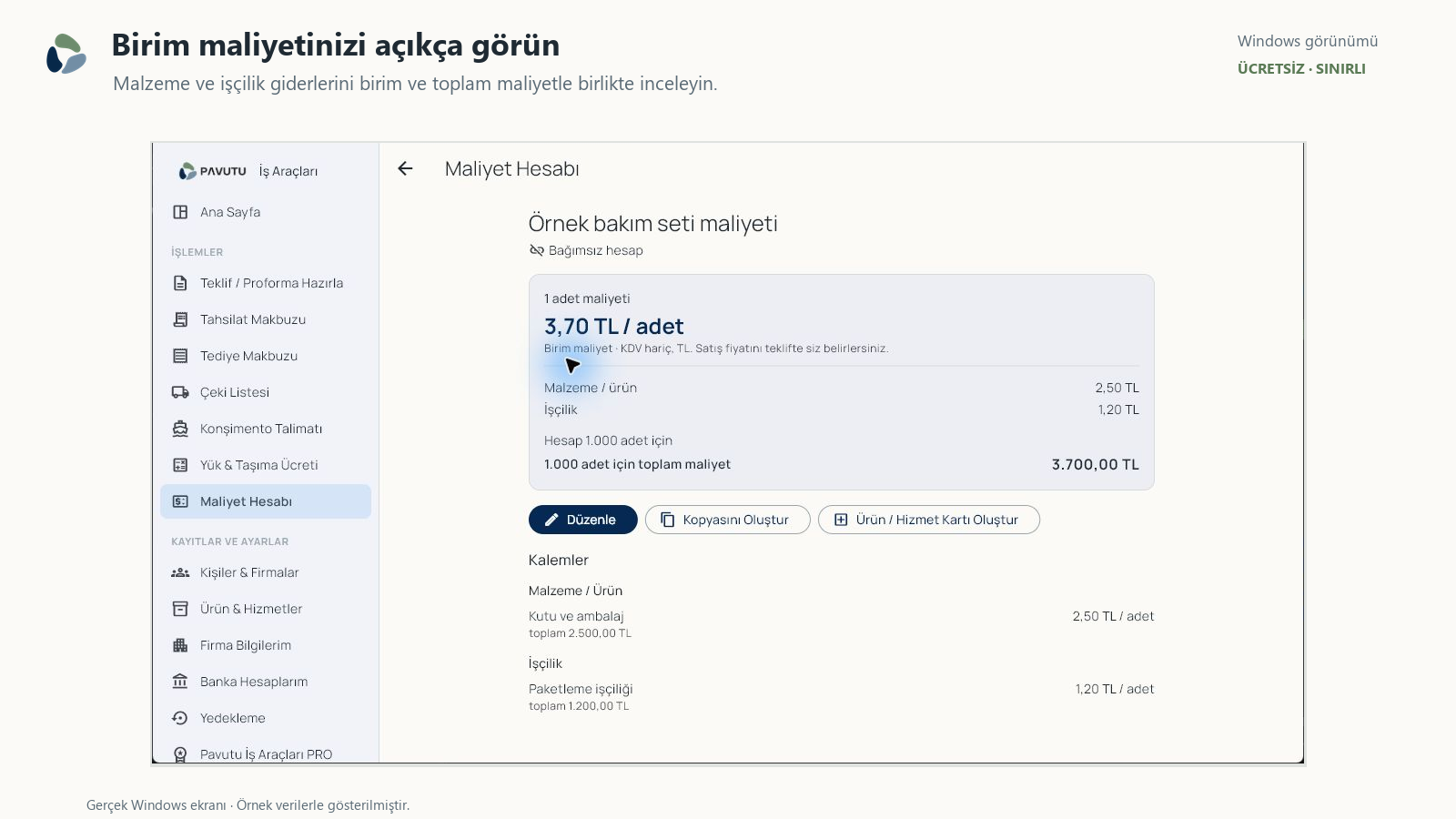
Unit cost
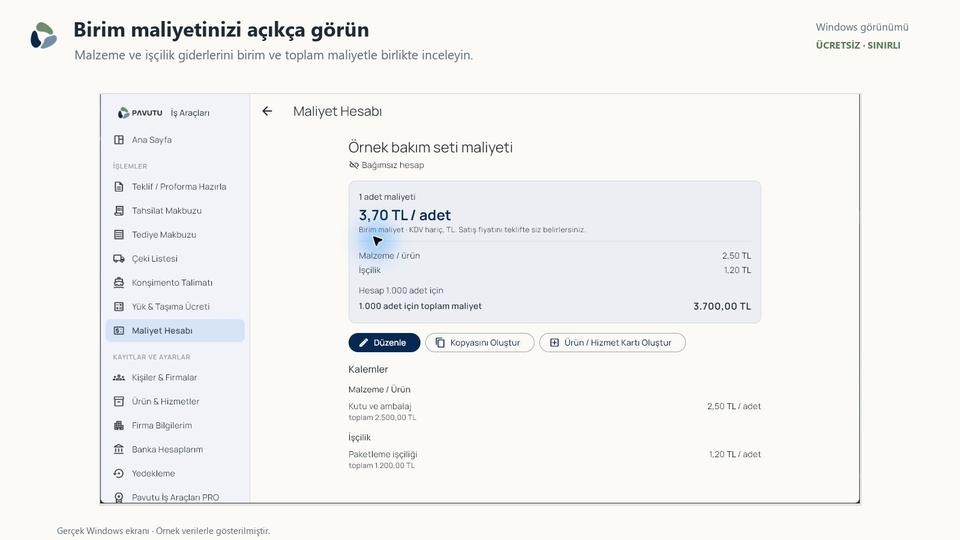
Calculate your unit cost in Turkish lira, excluding VAT, from materials, labour and other expenses, and link the result to a product record. You set the selling price and margin yourself.
 (opens the larger image)
TL, excluding VAT · sample -
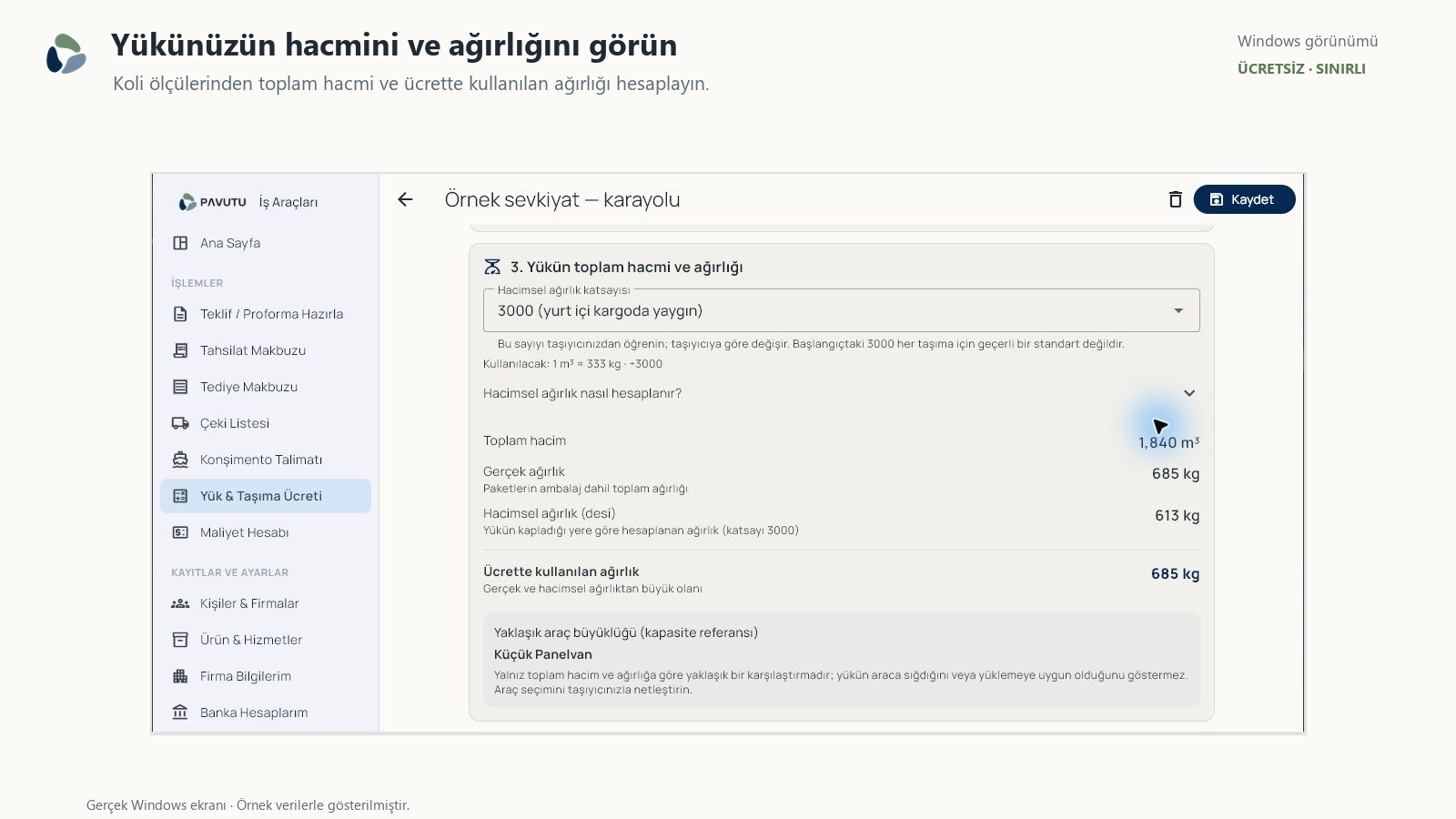
Volume and weight
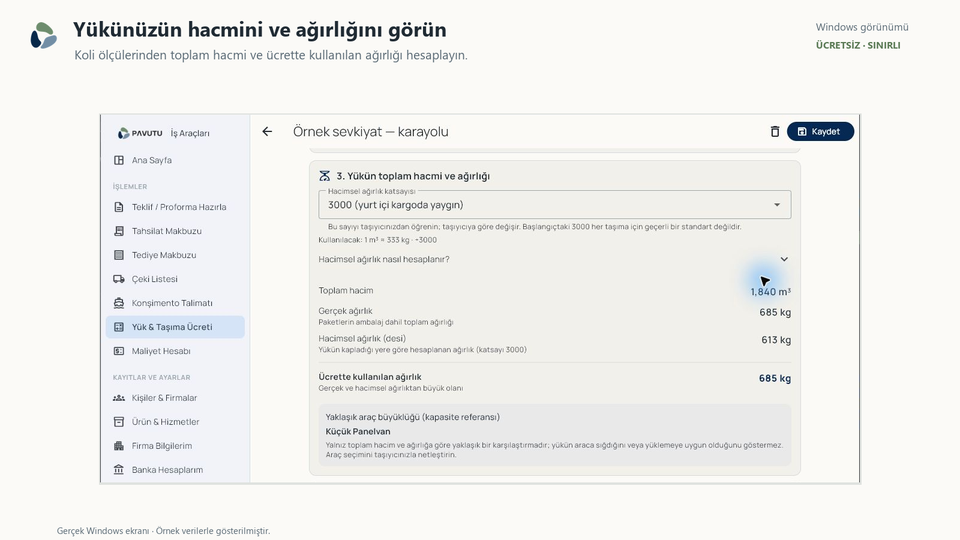
From your carton dimensions, see the total volume, the actual and volumetric weight and the weight used for the charge. You get the volumetric factor from your carrier and select it.
 (opens the larger image)
Road freight · sample shipment -
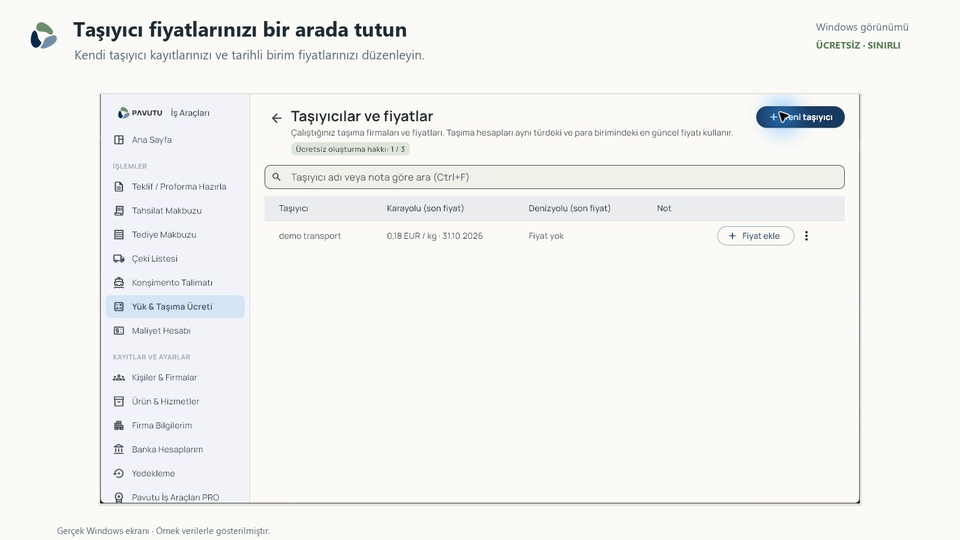
Carriers and rates
Save the carriers you work with and their dated unit rates. The freight calculation uses these rates for its estimate, and you can add an amount in the same currency to your proforma as freight.
 (opens the larger image)
Rates you enter · sample
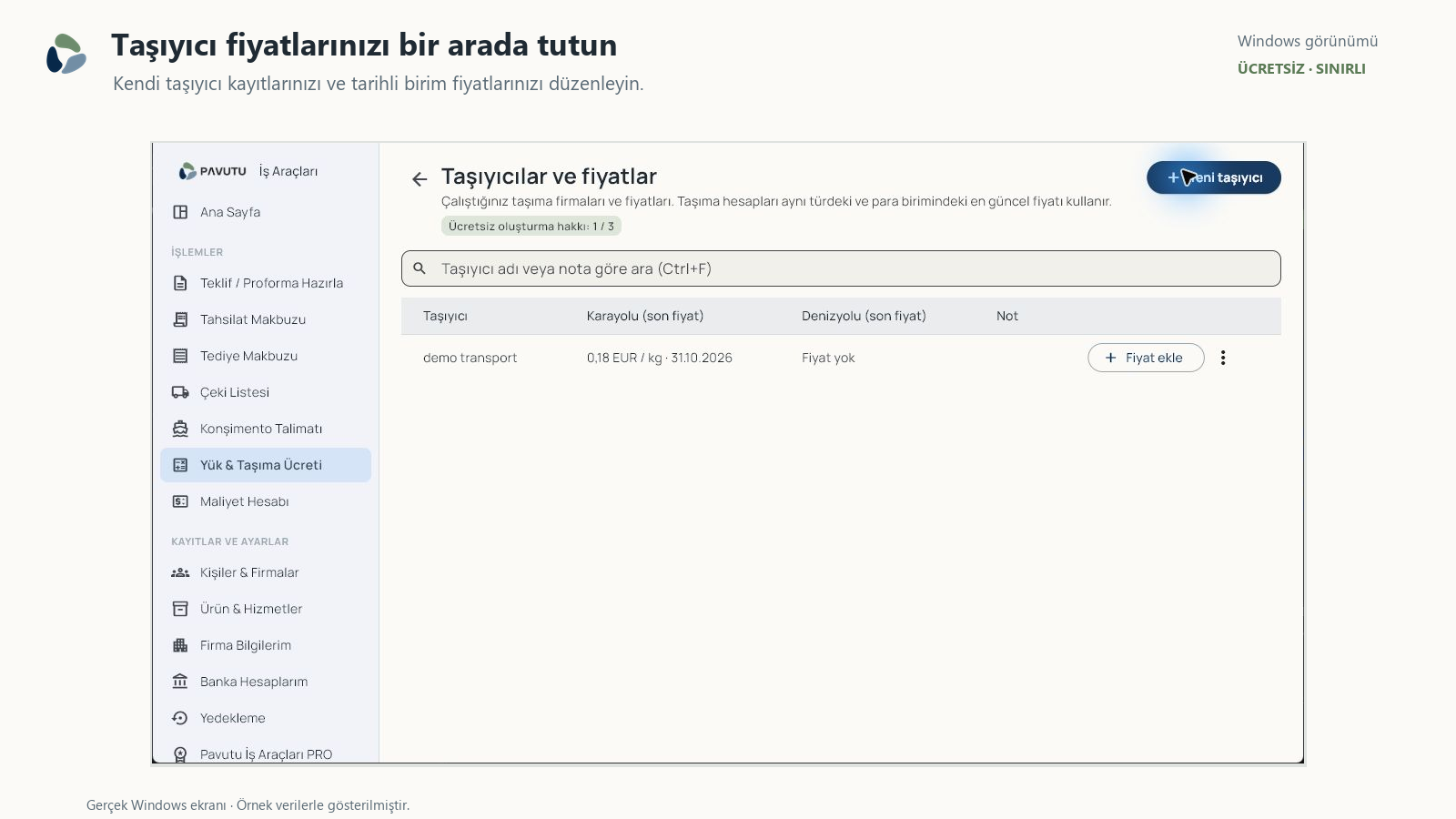
The app does not look up live rates or contact carriers; the result is an estimate from your saved rates, not a firm quote. The vehicle or container suggestion is only a capacity reference, and there is no automatic currency conversion.
Enter your details once
Your products, customers and company details are ready on every document.
-
Products and services
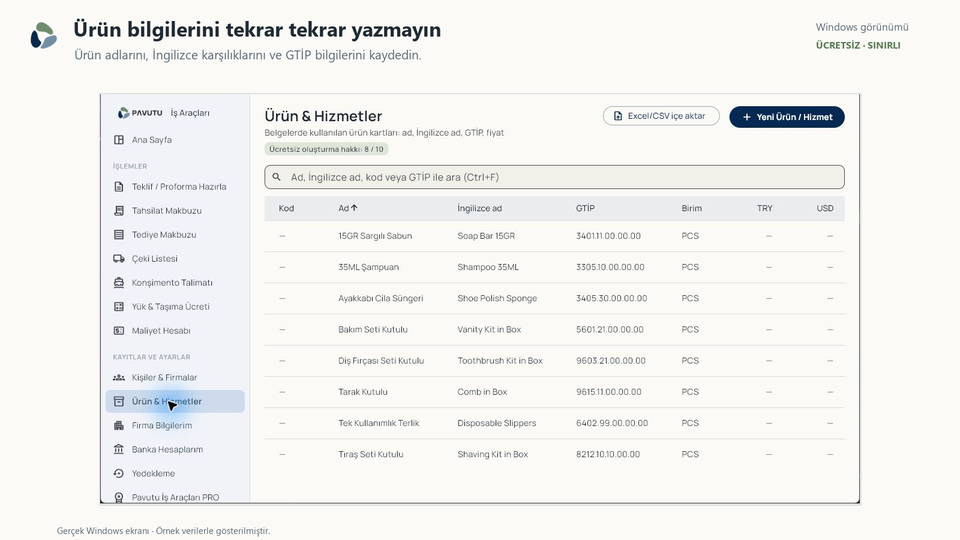
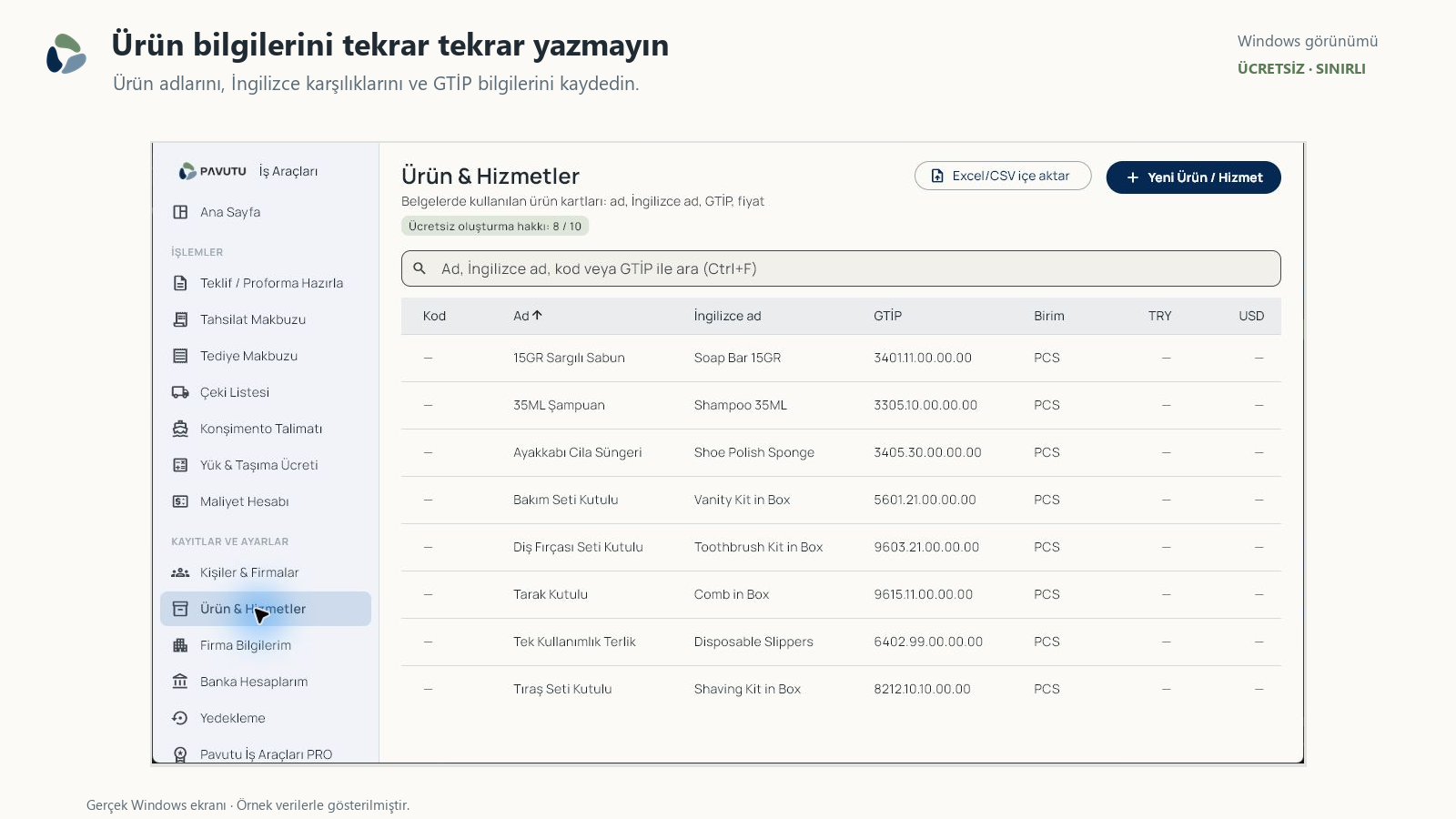
Save each product's Turkish and English names, HS code, unit and prices; when you add it to a document line, the details come with it.
 (opens the larger image)
Turkish and English names, HS codes -
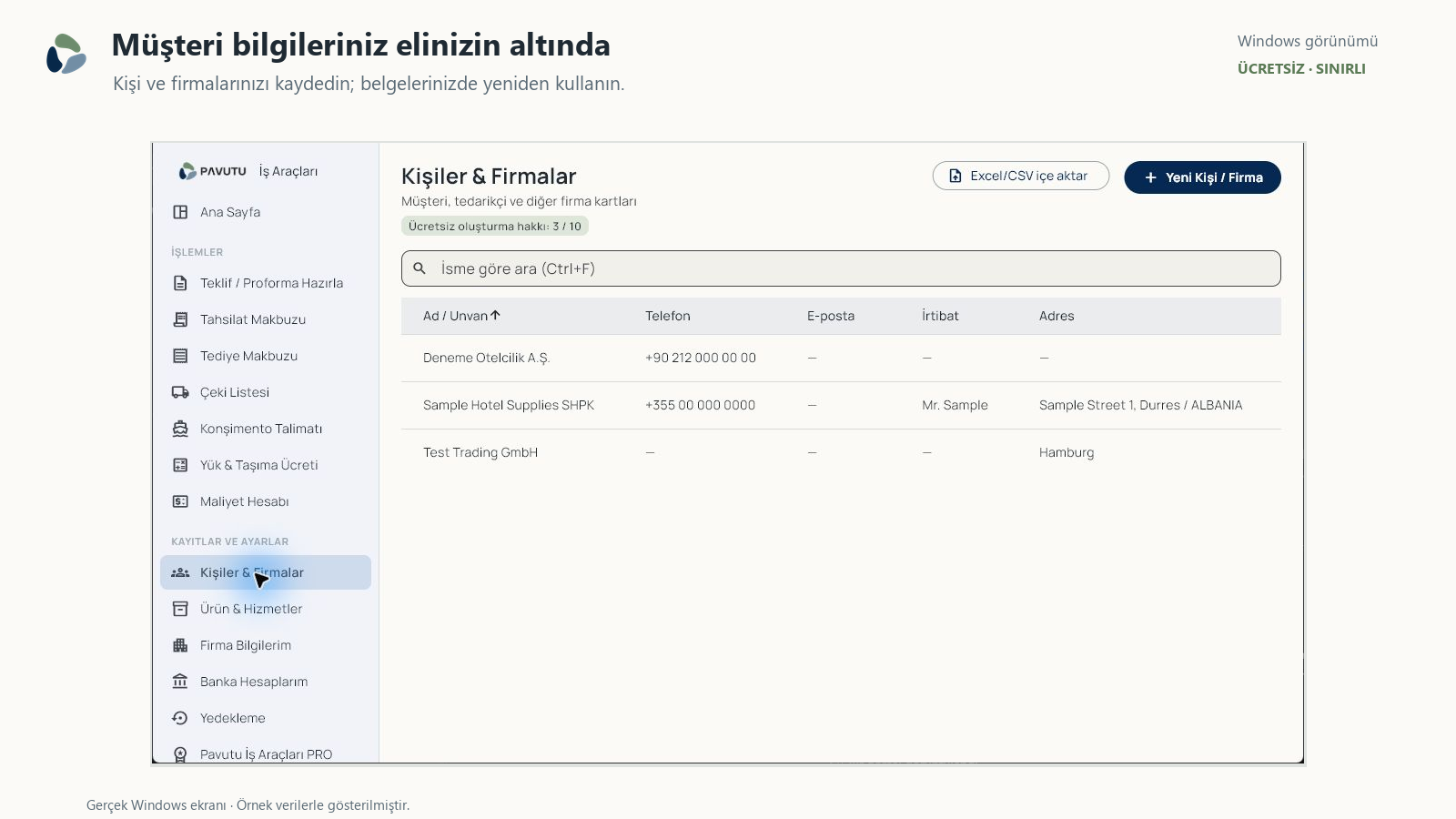
Contacts and companies
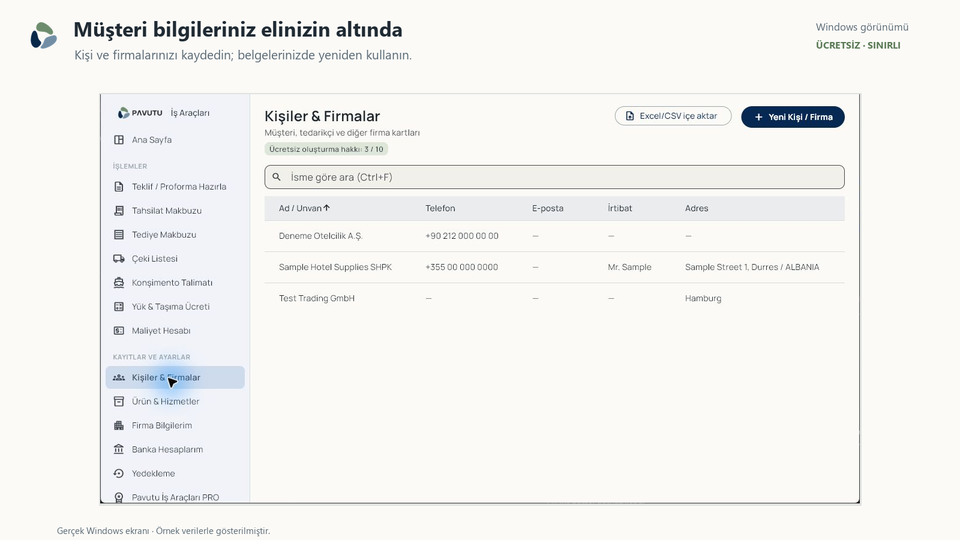
Keep records for customers, suppliers and other companies; choose one on a document and the address and contact details come with it.
 (opens the larger image)
Sample records -
Backup
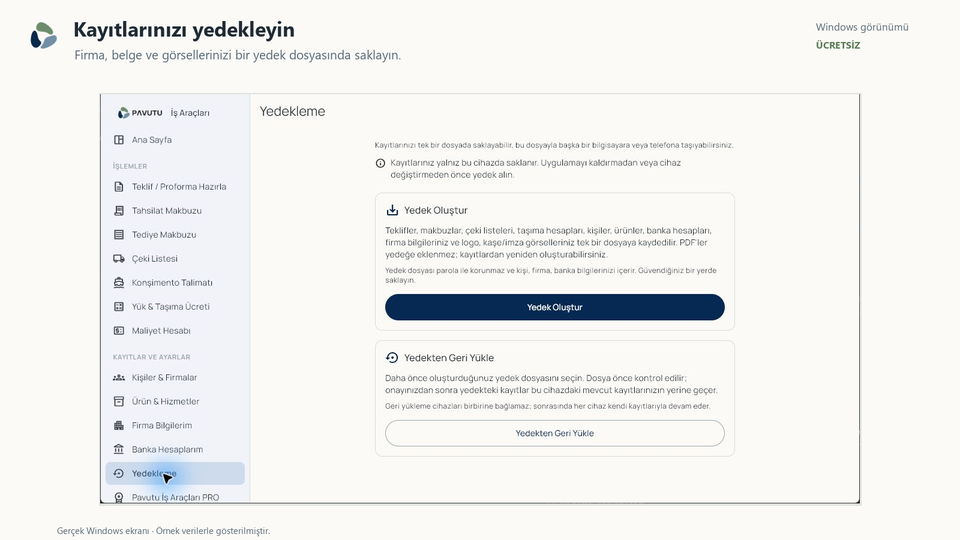
Save your documents, records, logo and stamp / signature images to a single backup file; move it to another computer or restore it.
 (opens the larger image)
All your records in one file
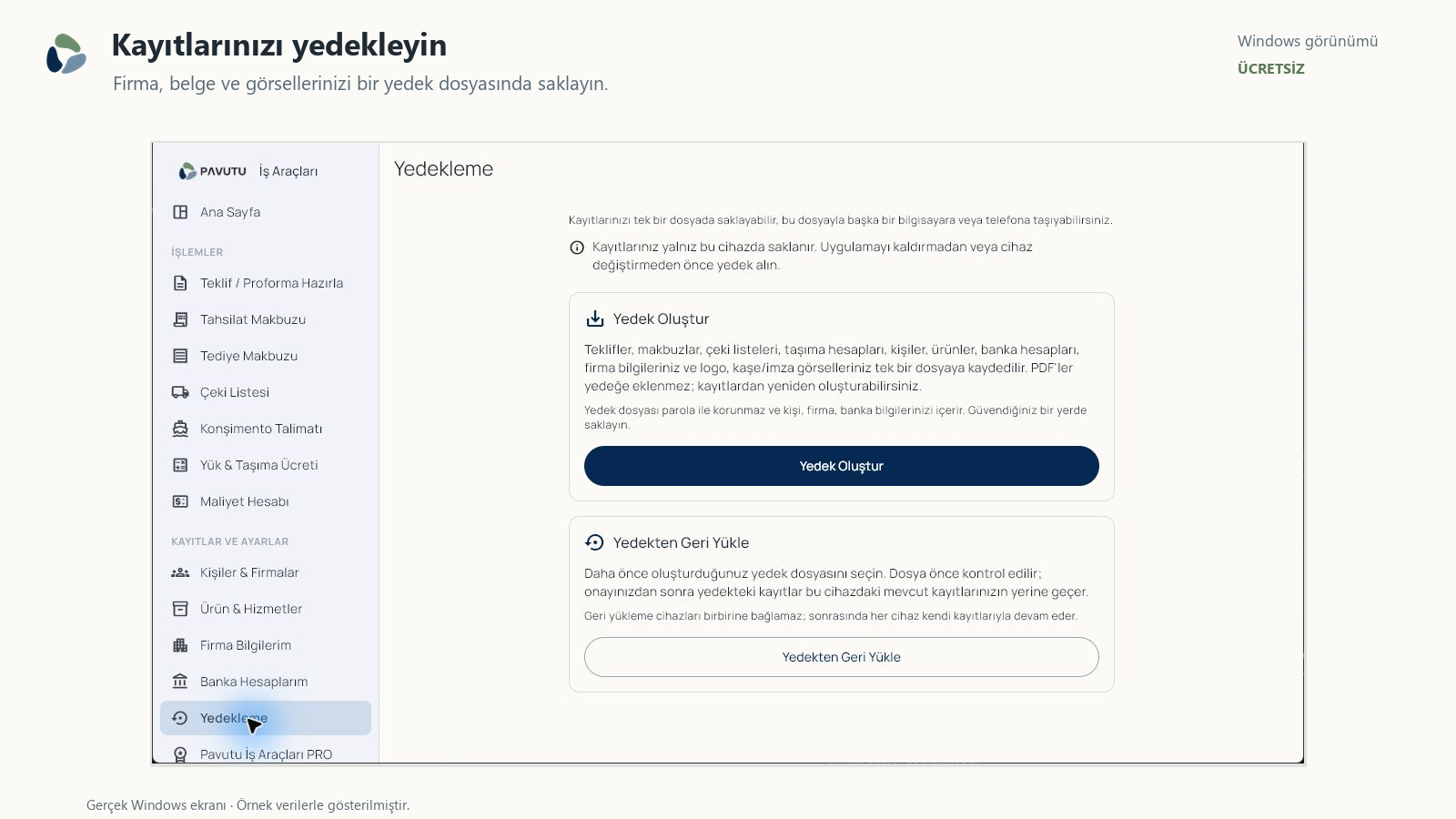
You can import contact and product lists by pasting them from Excel or from a CSV file: you see the rows first, duplicates are skipped, and a safety copy is made before the import. The backup file is not password-protected, and PDFs are not included in it.
Free and PRO
Free
All tools, with this many records:
- Quotes and proformas: 5 in total
- Receipts and payment vouchers: 5 in total
- Packing lists: 5 · shipping instructions: 5
- Cost calculations: 3 · freight calculations: 3 · carriers: 3
- Contacts / companies: 10 · products / services: 10 · bank accounts: 2
Windows PRO
The same tools, without record limits:
- Removes these creation limits
- Adds no separate features; every tool is in the free version too
- One-time purchase, no subscription
The numbers are how many records you can successfully create in total in the free version: they do not renew each month, and deleting a record does not give it back. A limit only stops new records; you keep access to the ones you have. PRO is a one-time in-app purchase through the Microsoft Store; you can see the current price there.
Get the app
The Windows version of Pavutu İş Araçları is on the Microsoft Store.
Platform and privacy
Platform
Pavutu İş Araçları is an app you install on your Windows computer. It is made for Türkiye and its interface is in Turkish; your documents can be in Turkish or English. The Windows version is on the Microsoft Store; the Android version is not on Google Play yet. Questions: support@pavutu.com.
- Windows
- Türkiye only
- Turkish interface
Privacy
No account, ads or usage tracking. Your records stay on your computer; documents and calculations work without an internet connection. PRO purchases and licence checks go through the Microsoft Store.
Scope
It prepares quotes, receipts and shipping documents. It is not accounting, ERP, current-account, stock or e-invoicing (e-Fatura) software, and its documents are not invoices or financial documents.
FAQ
Does the app have an English interface?
No, the app's interface is in Turkish. In the quotes and proformas section you can prepare a Turkish quote (Teklif) or an English Proforma Invoice. Text you type is not translated automatically.
Can I use my lists from Excel?
Yes. You can copy proforma and packing list lines from Excel and paste them in, and import contact and product lists by pasting from Excel or from a CSV file. You can also export proforma lines as CSV.
Do shipping instructions replace a bill of lading?
No. They are instructions you pass to the carrier; the carrier issues the bill of lading and official transport documents.
How is the freight charge calculated?
It estimates a charge from the carrier rates you have saved. It does not look up current rates; you get the firm price from your carrier.
What happens when I reach a free limit?
You can't create new records of that type. You can still open your existing records and make PDFs of supported documents; whether you can edit a document depends on its type and status. Deleting a record does not give it back. PRO only removes the creation limits.
Where is my data stored?
On your computer. The app has no server or account system. To move your records to another computer, you make a backup file; it is not password-protected.
Other tools by Pavutu
Other Pavutu tools: Offline Scanner for scanning documents, Static QR for QR codes, Cut Planner for sheet cutting plans and Pavutu Öğretmen for teachers' salary and extra-lesson pay in Türkiye. See all our tools →