
Cut Planner · Windows · Android
How many circles fit in a rectangle?
PRO · 2D base layout
Cut Planner PRO calculates a single 2D layer of equal circles inside a rectangle. For bottles, use the box’s inside base dimensions and the bottle’s widest outside diameter. The result covers the base layout only; height, stacking, dividers and load safety need separate checks.
Worked examples
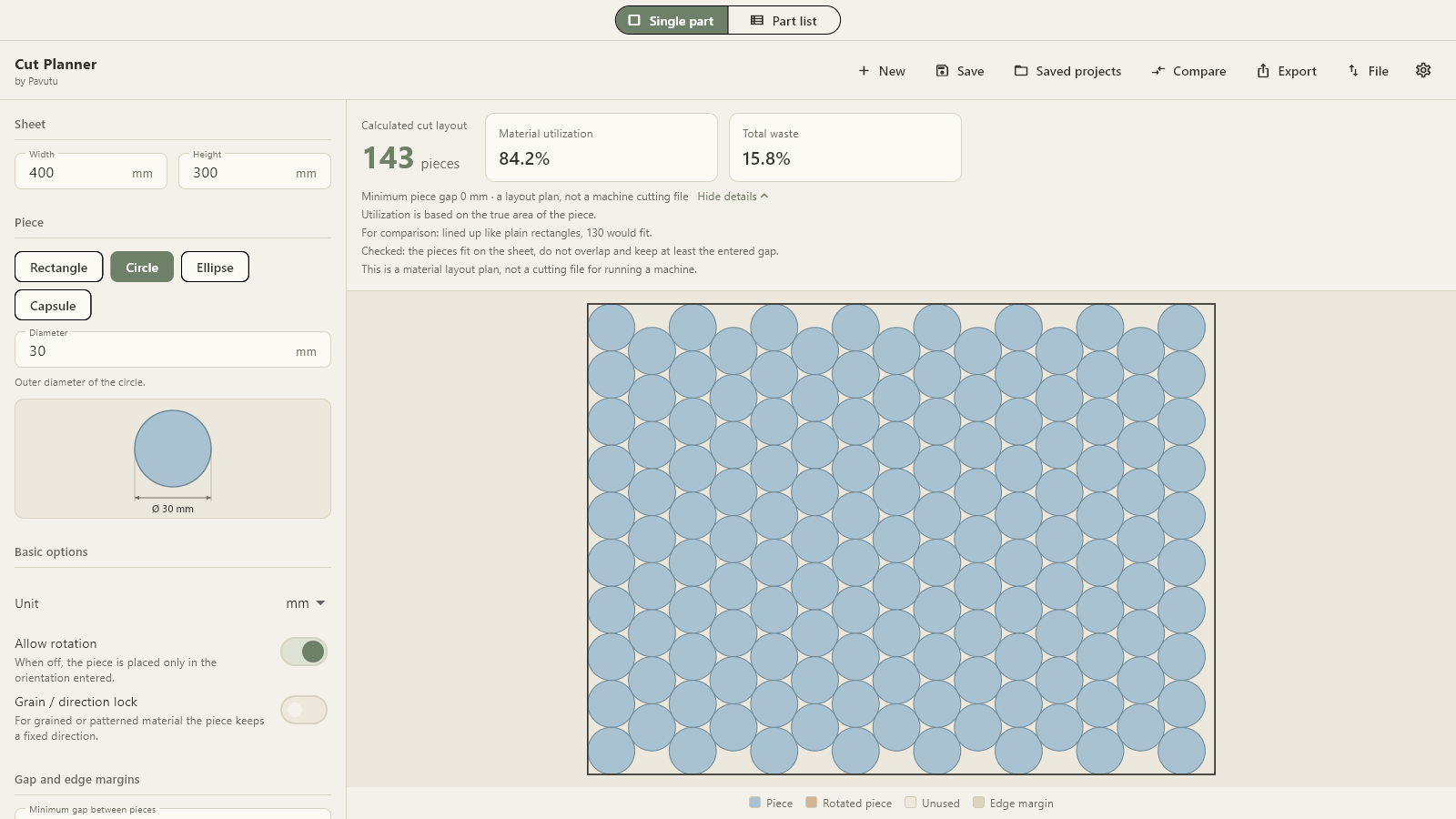 (opens the larger image)
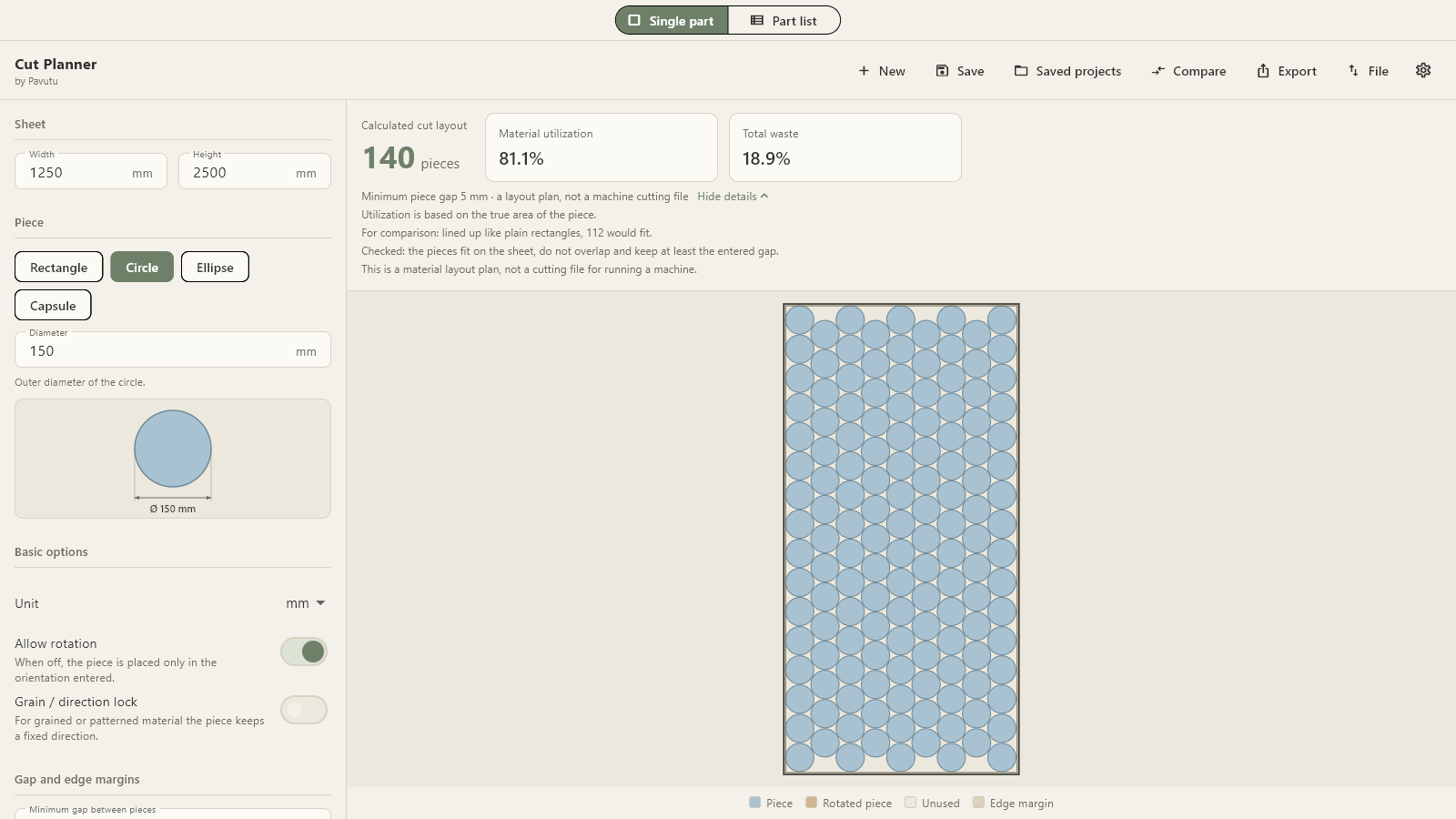 (opens the larger image)
The bottle example uses sample dimensions, not measurements from a customer shipment. Its gap and edge margins are zero. For a real box, include clearance for separators and handling before accepting the count. The disc example uses a 5 mm minimum gap between circle contours and a 10 mm margin at each sheet edge.
Set up the calculation
- In Single part, select Circle (PRO). Enter the rectangle size and one circle diameter.
- Set minimum spacing between parts and all four edge margins. For bottles, measure the inside of the box and the widest bottle section.
- Inspect the staggered and straight-row comparison, then save the plan as PDF/image. PRO also exports layered, true-scale SVG/DXF geometry.
Scope and limits
PRO is required to calculate circles; selecting Circle in the free version opens the PRO screen. This is a single shape and diameter, one 2D layer. There is no mixed-diameter packing, height or stacking calculation, no promise of the best arrangement, and no machine toolpath or G-code.
Questions about this job
Can this tell me how many bottles a box holds?
It estimates the number in one base layer from the inside base size and widest bottle diameter. Check height, separators and usable clearance separately.
Does the gap mean saw kerf?
For circles, minimum spacing is the shortest distance between the contours. It is a separate setting from the kerf used for rectangular cutting.
Does it calculate pallet stacking?
No. You can examine one layer of equal rectangular box bases in the free rectangle mode, but the app does not calculate layers, height, weight limits or mixed box sizes.